How to Clean and Maintain Your Whole-House Fan
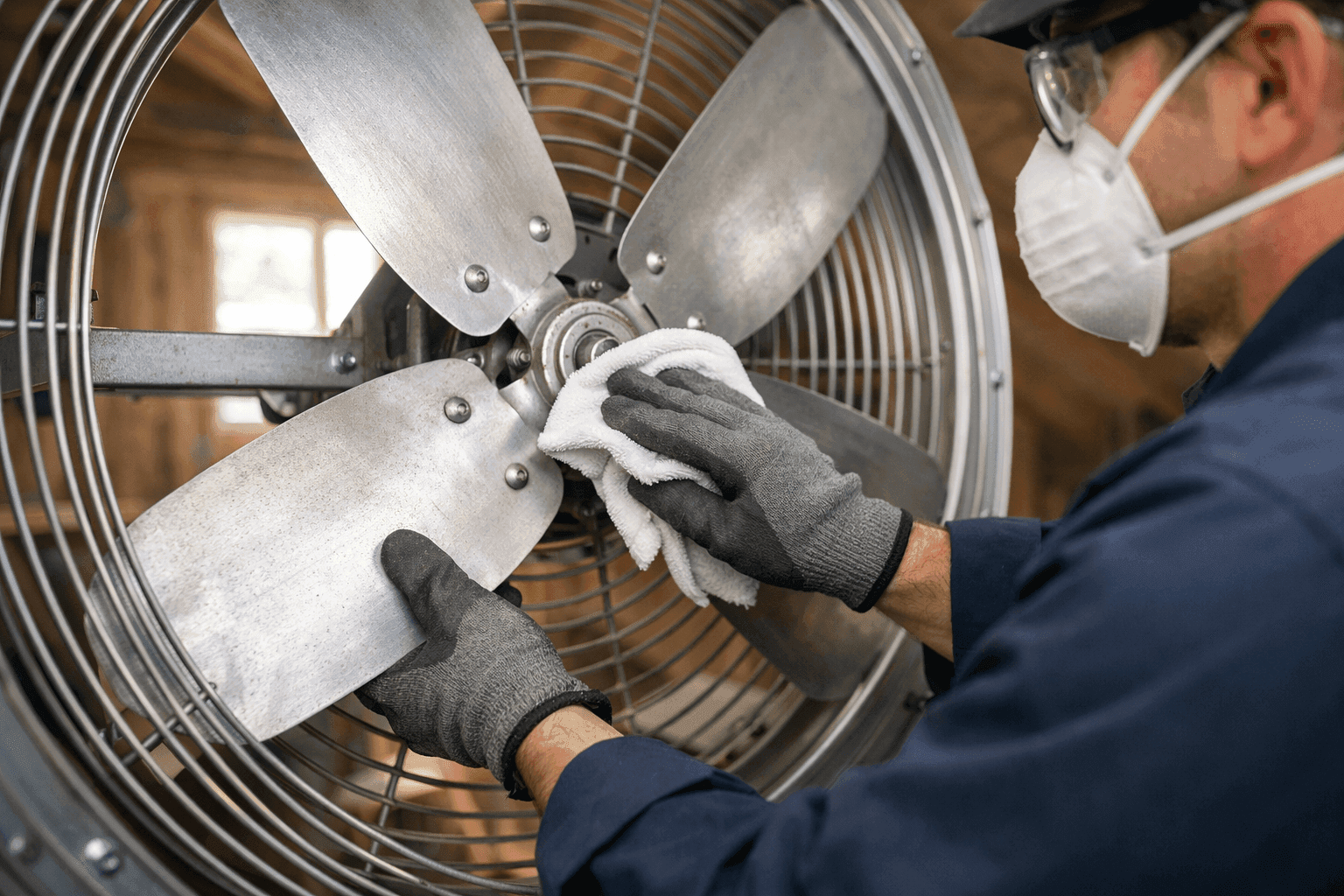
Hot attic. Stale air. A whole-house fan can be a breath of fresh air—if it’s running right. But dust, debris, and neglect can turn your helpful fan into a noisy, inefficient mess.
At Right On AC, we know how vital cooling and good air movement are. Whether you’re a homeowner or run a busy office, a well-maintained fan is your ticket to comfort and savings.
Why Fan Maintenance is Important 🛠️
Imagine your fan as the lungs of your home. When it’s clean, you breathe easy. When it’s clogged, everything feels stuffy and slow.
- Boosts efficiency: A clean fan moves more air with less energy.
- Reduces wear: Dusty blades put extra strain on the motor.
- Improves air quality: Less dust floating around your living space.
- Prevents breakdowns: Regular care means fewer expensive surprises.
The U.S. Department of Energy recommends routine maintenance for all cooling systems. Keeping up with your fan means less stress—and more cool comfort.
Quick Safety Checklist Before You Start
Safety first. Always.
- Turn off power at the breaker—never just the wall switch.
- Wait for blades to stop completely before touching anything.
- Wear eye protection (dust falls fast).
- Have a sturdy ladder if your fan’s in the attic or ceiling.
If anything looks wrong—like frayed wires or wobbly parts—stop and call a professional before you go further.
Step-by-Step Cleaning Guide
Ready to roll up your sleeves? Here’s how to get your whole-house fan sparkling.
1. Gather Your Supplies
- Soft brush or microfiber cloth
- Vacuum with brush attachment
- Mild detergent and water
- Screwdriver (if you need to remove a grill or cover)
- Flashlight
2. Remove the Grill or Cover
Most covers pop off with gentle pressure or a few screws. Set it aside somewhere safe.
3. Dust the Blades
Wipe each blade with a damp cloth. For heavy dust, use your vacuum’s brush attachment first. Clean both sides.
4. Clean the Motor Housing
Wipe down the motor and housing carefully. Avoid getting water on electrical parts. A dry cloth works best here.
5. Wash the Grill
If your grill is dirty, wash it in the sink with mild soap. Let it dry completely before reinstalling.
6. Check for Loose Screws or Vibration
Gently wiggle the blades and housing. Tighten loose screws. Look for anything that seems off or rattles.
7. Reassemble and Restore Power
Replace the grill. Restore power at the breaker. Run the fan briefly to check for smooth operation.
Prevention & Maintenance Tips
A little effort now avoids bigger headaches later.
- Clean your fan every spring and fall.
- Keep attic or fan-area floors tidy to limit dust buildup.
- Replace or clean any filters (if your model uses them).
- Schedule professional maintenance annually for peace of mind.
For more on keeping your air fresh, see our Ventallation service.
Troubleshooting Common Issues ⚠️
Not every problem needs a pro—but some do.
Odd Noises
- Squeaking: Usually dry bearings. Try a tiny drop of light oil—never overdo it.
- Rattling: Check for loose screws or debris.
- Thumping: Bent blade? Turn off the fan and inspect closely.
Weak Airflow
- Clogged grill or filter: Clean or replace.
- Dirty blades: Even a thin layer of dust can slow things down.
- Motor issues: If all else fails, the motor may be wearing out.
Fan Won’t Start
- Check power: Is the breaker on?
- Wall switch: Test or replace.
- Wiring: Frayed or burned wires need a pro.
If you’re in doubt, wait before poking around. Some fixes are quick, but electrical issues aren’t worth the risk.
Common Mistakes to Avoid
- Using harsh chemicals—these can damage plastic and paint.
- Skipping power shut-off—never clean a “live” fan.
- Ignoring small noises—problems never fix themselves.
Signs It’s Time for Professional Help
Sometimes, a screwdriver and a rag won’t cut it. Call Right On AC if:
- The motor smells hot or burnt.
- Blades won’t spin freely.
- There’s visible wiring damage.
- You hear loud grinding, screeching, or see sparks.
Our friendly team handles everything from whole-house fan installation to emergency repairs.
What a Pro Will Do On Arrival
Expect a thorough checkup:
- Inspect wiring and controls for safety.
- Test motor amperage and temperature.
- Balance blades for whisper-quiet operation.
- Lubricate moving parts (if needed).
- Check ventilation paths for blockages.
We follow National Electrical Code (NEC) guidelines to keep your home safe and efficient.
How Often Should You Clean Your Fan?
Twice a year is a good rhythm—spring before cooling season, fall after heavy use. If you have pets, allergies, or a lot of construction dust, consider quarterly cleanings.
DIY vs. Calling a Pro: Where to Draw the Line
Cleaning and tightening are safe for most DIYers. But:
- Electrical repairs? Leave those to a licensed technician.
- Wobbling or out-of-balance fans? Pros have special tools.
- Major motor issues? Replacement is best handled by a pro.
Timeline & Disruption: What to Expect
- DIY cleaning: 30–60 minutes, minimal mess if you use drop cloths.
- Professional maintenance: 1–2 hours, with a courtesy sweep-up.
For businesses, schedule maintenance after hours to avoid downtime.
Seasonal Considerations
- Clean before the first big heatwave.
- Inspect again before winter—fans can collect dust even when idle.
- If you use your fan year-round, increase cleaning frequency.
Materials and Equipment
Most jobs need only basic supplies. For stuck-on grime or high ceilings, pros bring ladders, specialty vacuums, and safe solvents.
When It’s an Emergency
- Smoke, sparks, or burning smells? Shut off power and call for 24-hour emergency service.
- Complete power loss to your fan system? It could relate to your broader electrical panel or even your generator.
Right On AC offers Generator Installation if you want backup power for your cooling essentials.
Frequently Asked Questions
Do all whole-house fans need maintenance?
Yes—like any moving machine, they run better (and longer) when kept clean.
Can I spray the blades directly with cleaner?
No. Always spray onto the cloth, not the fan, to avoid damaging the motor.
How do I know if my fan is too old to repair?
If the motor fails repeatedly or parts are unavailable, it’s time to consider replacement.
Connect With Local Cooling Specialists
If you’re in the area and need trusted help with your system, our team delivers reliable service on everything from AC repair to ventilation upgrades. For more details about our team and services in your area, visit our cooling specialists in Pittsburgh.
A clean whole-house fan is more than just good for your cooling—it’s good for your health, your wallet, and your peace of mind. If you’re feeling stuck or want the job done right, don’t sweat it.
Call Right On AC now — or reach us anytime at 888-836-1269 .