How to Upgrade to a Programmable Thermostat
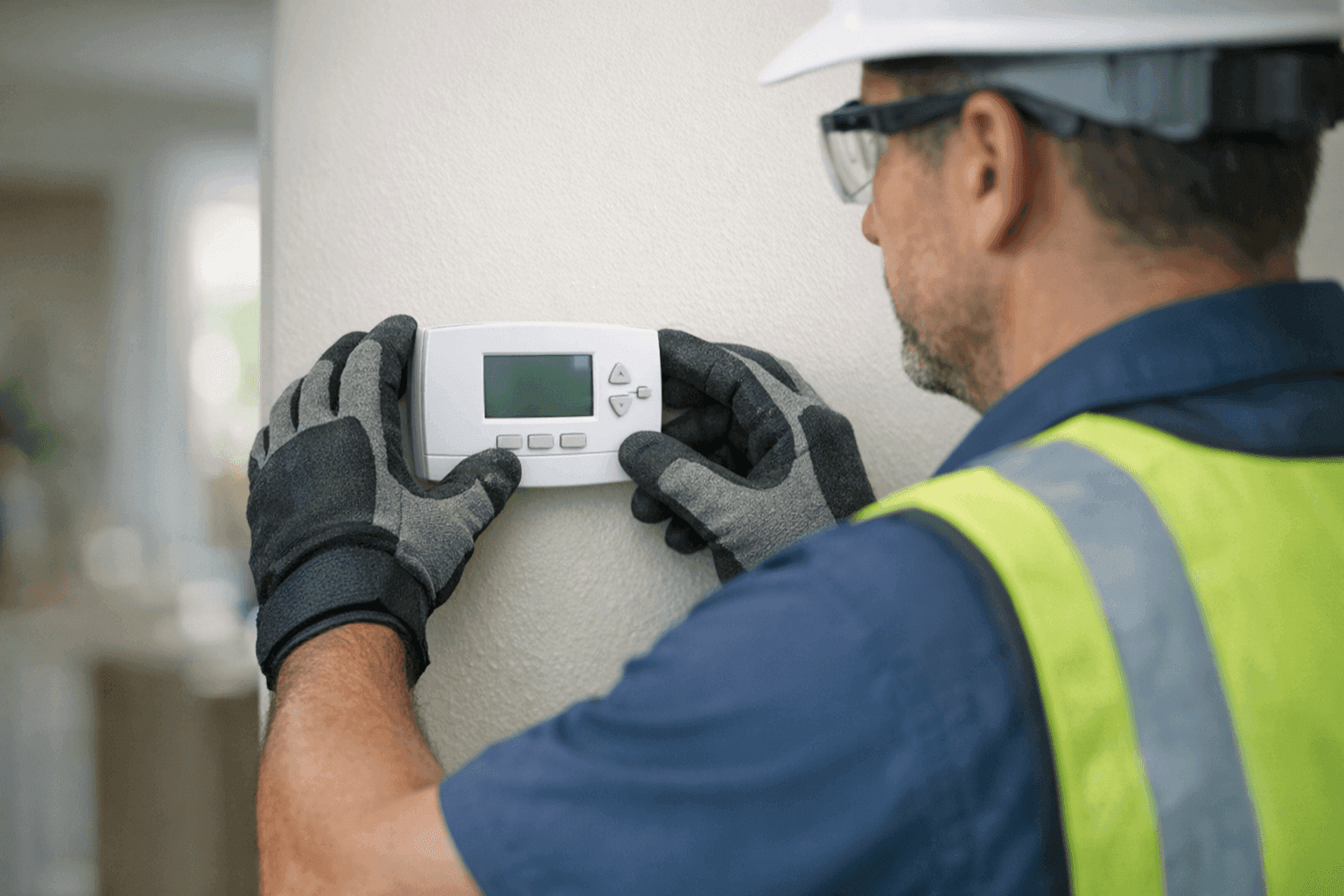
Are you tired of coming home to a stuffy living room or waking up in the middle of the night sweating? You’re not alone. Many people struggle with keeping their homes comfortable without seeing their energy bills skyrocket. That’s where programmable thermostats come in—a simple upgrade with big benefits.
At Right On AC, we help homeowners and businesses gain control of their cooling and heating. In this guide, you'll find clear, step-by-step advice to make the switch to a programmable thermostat. Whether you’re a DIYer or prefer a pro’s help, you’ll be ready for a smoother, smarter comfort experience.
Why Upgrade to Programmable?
Think of your old thermostat like a light switch—on or off, with little room for nuance. Programmable thermostats, on the other hand, are more like a dimmer. They give you flexibility, letting you fine-tune your comfort and wallet at the same time.
Here’s what you gain:
- Energy Savings: According to the U.S. Department of Energy, proper use of programmable thermostats can save you up to 10% a year on heating and cooling.
- Consistent Comfort: No more fiddling with the dial. Set it and forget it—your home adjusts itself.
- Remote Access: Many models sync with your phone, letting you adjust the temperature from anywhere.
- Better for Your HVAC: Smoother cycling means less wear and fewer urgent repairs.
Ready to take control? Let’s break down how you can upgrade, step by step. 🛠️
Safety First: Quick Checklist
Before you reach for your screwdriver, take a pause. Safety isn’t just a formality—it’s the difference between a job well done and a costly mistake.
Always:
- Turn off power at the breaker box before touching wires.
- Use a voltage tester to confirm power is off.
- Read your HVAC system’s manual for any special instructions.
- Keep kids and pets away from your workspace.
- Use insulated tools.
If you’re unsure, don’t risk it. Call a Thermostats who knows their way around high-voltage systems.
Installation—DIY or Pro?
You might be tempted to go full DIY. For some, it’s doable. But not all systems are created equal.
When DIY Makes Sense
- Your current thermostat has a simple, low-voltage wiring setup.
- You’re comfortable following wiring diagrams.
- The new thermostat is compatible with your system (double-check the manual).
When to Call a Pro
- You see extra wires you can’t identify.
- Your system is older or has high-voltage wiring.
- You’re installing advanced features like zoning or humidity control.
- There’s ever any doubt.
A professional will not only install your thermostat correctly but also handle any hiccups with wiring, configuration, or software. At Right On AC, our team handles thermostats and hvac-maintenance upgrades every day, so you’re in good hands.
What Pros Do on Arrival
Hiring a pro? Here’s what to expect when we show up:
- System Assessment: We verify your HVAC type and wiring.
- Power Off: Always.
- Careful Removal: Old thermostat comes off without damaging drywall or labels.
- Wiring Check: Each wire is matched and labeled for the new system.
- Thermostat Mounting: Level, secure, and in the right spot for accurate readings.
- Programming & Testing: We walk you through setup, making sure everything works.
- Cleanup & Walkthrough: You’ll know how to use your new device before we leave.
Programming for Maximum Savings
Programming your new thermostat is like setting a smart autopilot for your home’s climate. But there’s an art to it.
Quick Tips for Top Savings 💡
- Set It and Stick to It: Choose a comfortable temperature when home (78°F for cooling, 68°F for heating, per ENERGY STAR).
- Use Setbacks: Lower the temp when away or asleep. Even a few degrees makes a difference.
- Seasonal Tweaks: Adjust schedules for summer or winter routines.
- Don’t Override Often: Manual changes defeat the purpose of programming.
- Leverage Features: Use geofencing, vacation modes, or learning algorithms if available.
For commercial spaces, coordinate schedules with business hours and occupancy.
Troubleshooting Common Setup Issues
Even the best plans can hit a snag. Here’s what to watch for:
- Thermostat Won’t Power On: Double-check power at the breaker and wiring connections.
- HVAC Doesn’t Respond: Some systems need a “C” wire (common wire) for smart thermostats. Missing one? Call a pro.
- Incorrect Temperature Readings: Avoid installing near direct sunlight, vents, or exterior doors.
- Connectivity Issues: For Wi-Fi models, ensure your signal reaches the thermostat location.
Still stuck? Sometimes the issue isn’t with the thermostat—it’s with the system itself. Our hvac-maintenance checks can pinpoint the problem fast.
Timeline & Disruption
Most DIY installations take about 30–60 minutes, provided everything goes smoothly. Add time for programming and setup. For complex systems or business locations, professionals may need a few hours, especially if wiring updates are needed.
Good news: disruptions are minimal. You’ll only be without heating or cooling for a short time—just long enough for the swap.
What Equipment Do You Need?
- New programmable thermostat (check compatibility!)
- Screwdriver (usually Phillips)
- Drill (if new holes are needed)
- Level
- Wire labels or masking tape
- Voltage tester
Don’t forget your patience—wires can be stubborn.
Signs Your Old Thermostat Needs an Upgrade
- It’s manual and older than your favorite pair of jeans.
- Your AC or heater cycles on and off erratically.
- You’re seeing inconsistent temperatures room to room.
- No remote or scheduling features.
If you notice these signs, it’s time for something smarter.
Common Mistakes to Avoid
- Skipping the Manual: Each system is a little different. Read first.
- Ignoring Compatibility: Not all thermostats work with all systems—always check.
- Mismatched Wires: Take a photo before removing the old thermostat.
- Poor Placement: Location affects accuracy. Avoid exterior walls and heat sources.
When It’s an Emergency
Thermostat failure in extreme heat or cold isn’t just uncomfortable—it can be dangerous. If your system won’t start, and you can’t restore power at the panel, call for 24 hour emergency service right away. Right On AC is always ready to help residential and commercial customers get back to comfort.
Prevention & Maintenance
A programmable thermostat is low-maintenance, but not no-maintenance.
- Change batteries annually if your model uses them.
- Dust the faceplate gently—dirt affects sensors.
- Schedule annual HVAC Maintenance to keep your system communicating smoothly.
FAQ: Programmable Thermostat Upgrades
Q: Will a programmable thermostat work with all HVAC systems?
A: Most, but not all. Always check the compatibility chart in your product manual.
Q: Can I control my thermostat from my phone?
A: Many newer models include app support—just ensure your Wi-Fi is strong where you install.
Q: Is upgrading worth it for businesses?
A: Absolutely. Commercial spaces see significant energy and comfort improvements with scheduled temperature control.
Seasonal Considerations
- Spring/Fall: Perfect time to install—your system won’t be working overtime, so you can test settings in mild weather.
- Summer/Winter: Program setbacks for “away” periods and reduce loads on your cooling or heating equipment.
Costs & Time Factors
- Product Costs: Basic programmable models start around $50; smart models can be $150–$300+.
- Installation (DIY): Free, if you’re confident and have the tools.
- Professional Installation: Costs vary based on complexity—ask for a quote.
- Time: Most residential installations take under an hour for a pro.
Ready to Upgrade? Call Right On AC
Upgrading to a programmable thermostat means more comfort, better control, and lower bills—all in a simple package. Whether you’re a hands-on homeowner or want a pro to handle every detail, Right On AC is here to help.
Call Right On AC now — or reach us anytime at 888-836-1269 .